Sending from an Alternate Email Address in Outlook for Mac
Instructions for how to send an email from a different email address you have access to within Outlook for Mac.
- Open Outlook for Mac.
- Select Outlook from the Toolbar.
- Select Preferences.
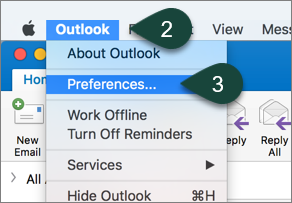
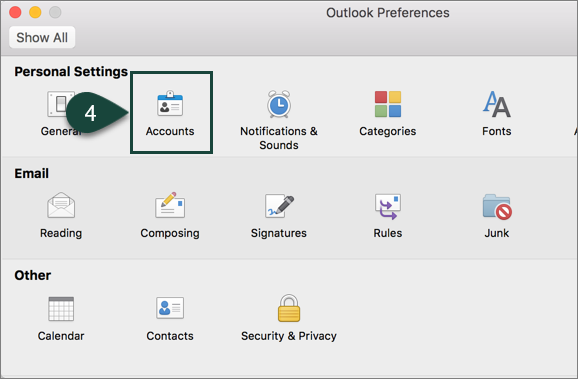
- Select Accounts.
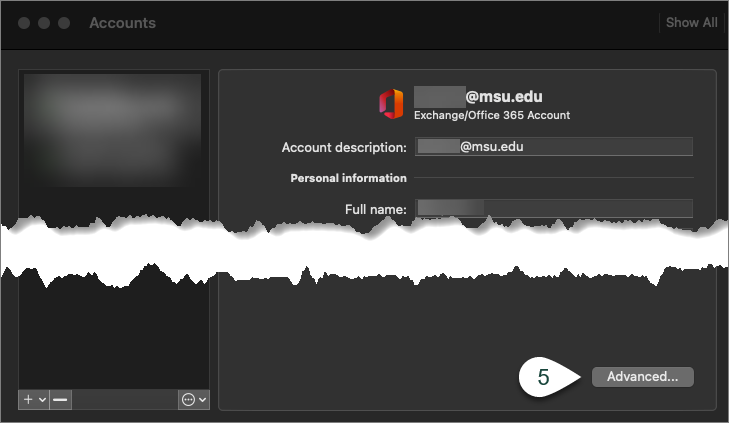
- Select Advanced.
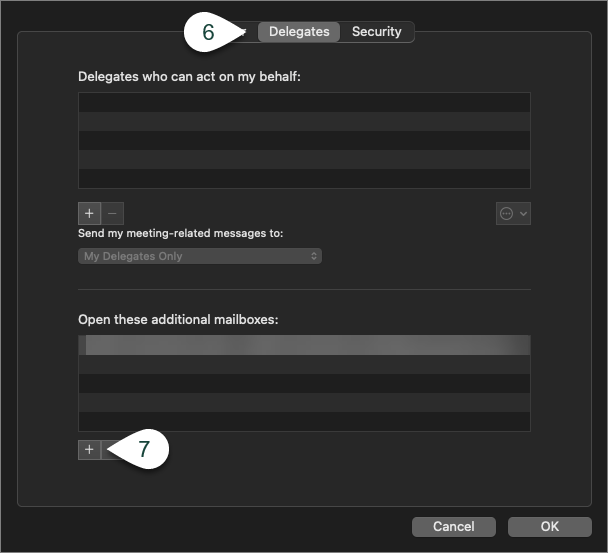
- Select Delegates.
- Select the + under the Open these additional mailboxes section.
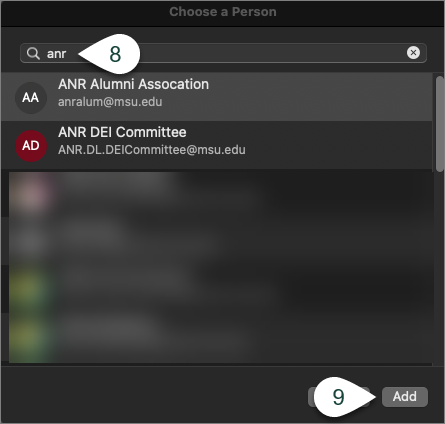
- Search for the Email Address you wish to send from.
NOTE: You will need to ensure you have access to send from that email address. - Select Add.
- Open a New Message.
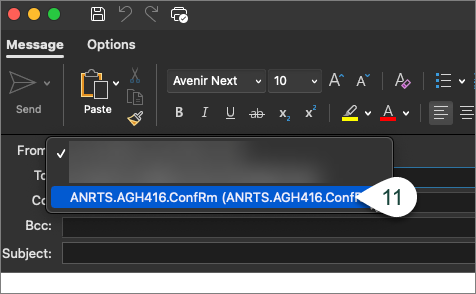
- Select the Alternate Email Address from the From Drop-Down menu.
- Continue Entering the rest of your email.

Did you find this article useful?
You Might Also Be Interested In
-
MSU researcher awarded five-year, $2.5 million grant to develop risk assessment training program
Published on October 13, 2020
-
MSU Product Center helps Michigan food entrepreneurs survive and thrive throughout pandemic
Published on August 31, 2021
-
Protecting Michigan’s environment and wildlife through the Conservation Reserve Enhancement Program
Published on September 1, 2021
-
MSU Extension to undertake three-year, $7 million vaccination education effort
Published on August 17, 2021
-
MSU to study precision livestock farming adoption trends in U.S. swine industry
Published on March 15, 2021
-
MSU research team receives USDA grant to evaluate effectiveness, cost of new blueberry pest management strategies
Published on February 19, 2021